
Similar Apps Like Blink Home Monitor Security Camera: Comprehensive Guide
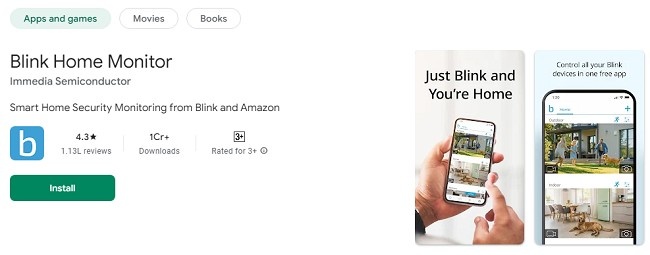
Blink Home Monitor is a popular choice for home security, offering easy-to-use features and reliable performance. However, there are several other apps and systems that can provide similar or even enhanced functionality for monitoring your home.
This guide explores top alternatives, their unique features, installation processes, reviews, and troubleshooting tips. Whether you're looking for advanced integrations or budget-friendly options, we’ve got you covered.
Top Alternatives to Blink Home Monitor
1. Arlo Secure
Arlo Secure is a robust home security app compatible with Arlo cameras. It provides real-time notifications, live video streaming, and advanced AI-based features like package detection and animal alerts.
Features:
High-definition live streaming
AI-powered motion detection
Two-way audio communication
Cloud storage for video recordings
Smart home integrations with Alexa and Google Assistant
Download and Installation:
Android: Available on Google Play Store
iOS: Available on Apple App Store
Windows/Mac: Accessible via the Arlo web portal
How to Use:
Download the app from the respective store.
Create an Arlo account and sign in.
Pair your Arlo cameras with the app.
Customize notifications and recording settings.
Reviews:
Positive: Users appreciate the AI-powered features and ease of integration with smart home devices.
Negative: Some users find the subscription plans expensive.
2. Ring Always Home
Ring Always Home is a well-known alternative, especially for users invested in the Amazon ecosystem.
It supports Ring cameras and doorbells, providing comprehensive home security coverage.
Features:
Real-time alerts and live video
Two-way audio
Night vision and motion detection
Integration with Alexa
Advanced security plans with video storage
Download and Installation:
Android/iOS: Download from Google Play Store or Apple App Store
Windows/Mac: Use the Ring web interface
How to Use:
Download the app and sign up for a Ring account.
Connect your Ring devices.
Set up motion zones and notification preferences.
Reviews:
Positive: Highly praised for its compatibility with Alexa and reliable motion detection.
Negative: Some users report occasional connectivity issues.
3. Wyze Cam App
Wyze Cam offers affordable home security solutions with a user-friendly app. It’s ideal for those seeking cost-effective yet feature-rich options.
Features:
Live HD video streaming
Motion and sound detection
Free 14-day cloud storage
Voice control with Alexa and Google Assistant
Download and Installation:
Android/iOS: Available on Google Play Store and Apple App Store
Windows/Mac: Not natively supported, but can be accessed via emulators like BlueStacks
How to Use:
Install the app on your device.
Create a Wyze account and log in.
Pair your Wyze camera and configure settings.
Reviews:
Positive: Affordable pricing and reliable performance.
Negative: Limited compatibility with third-party platforms.
4. Google Home
Google Home integrates seamlessly with Nest cameras and other smart home devices, providing a centralized hub for managing your security system.
Features:
Integration with Nest cameras and other smart devices
Customizable routines and automation
Voice control with Google Assistant
Real-time notifications and alerts
Download and Installation:
Android/iOS: Download from Google Play Store or Apple App Store
Windows/Mac: Access via the Google Home web portal
How to Use:
Download the app and sign in with your Google account.
Add your Nest cameras and other devices.
Set up routines and notifications.
Reviews:
Positive: Excellent for users with multiple Google devices.
Negative: Limited compatibility with non-Google devices.
5. SimpliSafe Home Security
SimpliSafe is another excellent alternative, known for its user-friendly app and comprehensive security features.
Features:
Real-time alerts
Live video streaming
Remote system control
Integration with smart home devices
Download and Installation:
Android/iOS: Available on Google Play Store and Apple App Store
Windows/Mac: Access via the SimpliSafe web portal
How to Use:
Download the app and create an account.
Connect your SimpliSafe devices.
Customize security settings and notifications.
Reviews:
Positive: Easy setup and reliable notifications.
Negative: Some features require a subscription.
Troubleshooting Common Issues
1. App Not Loading
Check your internet connection.
Update the app to the latest version.
Restart your device.
2. Notifications Not Working
Ensure notification permissions are enabled.
Check app-specific settings for alerts.
3. Device Pairing Issues
Reset your camera or device.
Ensure your Wi-Fi network is stable and within range.
Frequently Asked Questions (FAQs)
1. Are these apps free?
Most apps are free to download, but advanced features often require subscriptions.
2. Can I use these apps on multiple devices?
Yes, most apps support multiple devices under a single account.
3. Which app is best for budget-conscious users?
Wyze Cam is an excellent choice for affordability without compromising on features.
4. Do these apps support voice control?
Yes, most apps integrate with Alexa, Google Assistant, or both for voice commands.
5. How secure are these apps?
All apps prioritize user data security, but enabling two-factor authentication is recommended.
Latest Updates
Arlo Secure: Introduced AI-based animal detection.
Ring Always Home: Enhanced motion detection sensitivity.
Wyze Cam: Added support for more smart home devices.
Google Home: Improved routines for better automation.
SimpliSafe: Rolled out a new battery-saving mode.
Conclusion
While Blink Home Monitor is a reliable choice, these alternatives offer diverse features catering to different needs and budgets.
Whether you prioritize affordability, advanced AI features, or seamless smart home integration, there’s an app for everyone.
Explore these options to find the perfect fit for your home security system.
Updates